
iPhone Won't Charge? Common Causes and When to Repair
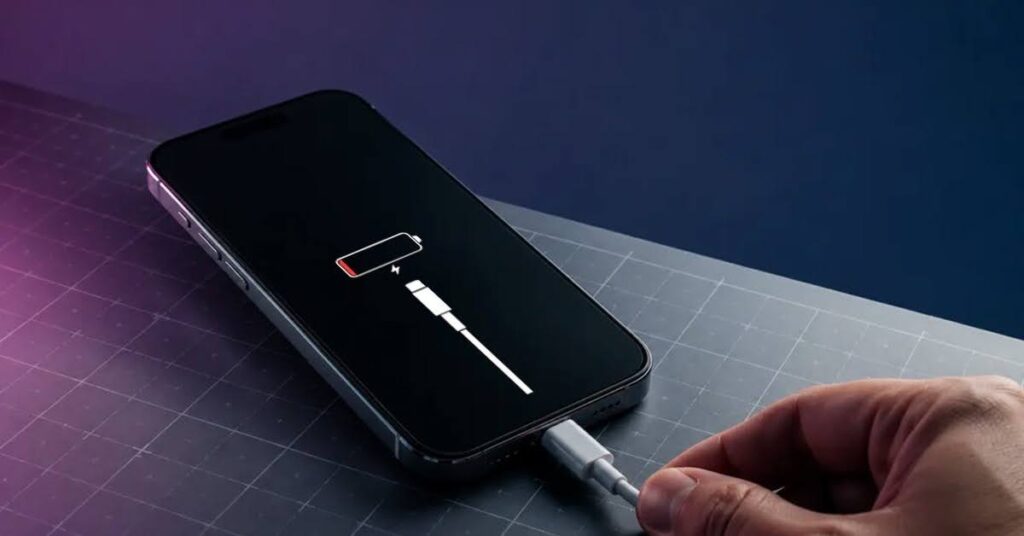
iPhone Won’t Charge? Here’s What Could Be Wrong
Few things are more frustrating than plugging in your iPhone and seeing nothing happen. Whether the battery percentage stays the same or your phone refuses to recognize the charger, charging problems can quickly disrupt your daily routine. If your iPhone won’t charge, the issue may be something simple, or it could point to a hardware problem that needs professional attention.
Why Is My iPhone Not Charging?
When an iPhone not charging issue appears, it doesn’t always mean the battery has failed. Several components work together during charging, and a fault in any one of them can stop your phone from powering up. Some problems are easy to fix at home, while others require professional diagnosis.
A Damaged Charging Cable or Adapter
The first thing to check is your charging accessories. Charging cables naturally wear out over time, especially if they are bent, twisted, or used daily.
Signs your accessories may be the problem include:
- Charging only at certain angles
- Visible damage to the cable
- Loose connector ends
- Adapter becoming unusually hot
Testing your phone with another certified charger is often the quickest way to rule out accessory issues.
Dust and Debris Inside the Charging Port
Your iPhone spends most of its time in pockets, bags, or backpacks. Over time, lint, dust, and dirt collect inside the charging port and prevent the charging cable from making proper contact.
Common signs include:
- Cable feels loose
- Charging starts and stops
- Phone charges only after adjusting the cable
- Connector does not fit completely
Never insert sharp metal objects into the port, as they can permanently damage the internal connectors.
Battery Wear After Years of Use
Every rechargeable battery has a limited lifespan. As your iPhone ages, its battery gradually loses its ability to hold a charge.
You may notice:
- Rapid battery drain
- Unexpected shutdowns
- Slow charging
- Battery percentage jumping suddenly
When the battery becomes worn out, installing a new one often brings charging back to normal.
Charging Port Damage
Sometimes the charging port itself becomes damaged. Frequent plugging and unplugging can wear down the internal pins, while accidental drops may loosen the connector.
You may need iPhone charging port repair if you notice:
- Charger won’t stay connected
- Phone never detects the cable
- Charging is extremely slow
- Port appears bent or damaged
Professional repair replaces the damaged component and restores a secure charging connection.
Software Glitches Can Interrupt Charging
Not every charging problem is caused by hardware. Sometimes, software issues or unfinished iOS updates can prevent your iPhone from charging properly. Restarting your iPhone or installing the latest software update may resolve temporary issues. If the problem continues after updating, hardware inspection is recommended.
Water Damage May Affect Charging
Even small amounts of moisture can damage charging components. After liquid exposure, corrosion may develop inside the charging port or on the charging circuit. The issue may not appear immediately, making it difficult to connect the charging problem with the original accident. If your iPhone has been exposed to water, avoid charging it until it has been professionally inspected.
Warning Signs You Shouldn’t Ignore
Charging issues often become worse over time.
Have your iPhone checked if you notice:
- Charging only works intermittently
- Battery drains while plugged in
- Device becomes unusually warm during charging
- Charging cable feels loose
- Phone refuses to charge completely
- Charging stops at random percentages
Addressing these symptoms early can help prevent additional hardware damage.
Can You Fix an iPhone That Won’t Charge at Home?
Some simple troubleshooting steps are safe to try before visiting a repair shop.
You can:
- Test another charging cable and adapter.
- Restart your iPhone.
- Install available iOS updates.
- Inspect the charging port for visible debris.
- Try charging from a different power outlet.
If none of these steps solve the problem, professional diagnostics are the safest option.
When Professional Repair Is the Best Choice
If your iPhone won’t charge despite using working accessories, the problem is likely inside the device.
Professional technicians use specialized tools to test:
- Battery performance
- Charging port connections
- Internal charging circuits
- Power management components
- Liquid damage
- Motherboard faults
Accurate diagnosis prevents unnecessary part replacements and ensures the correct repair is completed.
Common iPhone Charging Problems
Problem | Cause | Solution |
iPhone won’t charge | Bad cable or charger | Try another charger. |
Charging is slow | Weak charger or old battery | Use a quality charger. |
Charging keeps stopping | Dirty charging port | Clean the charging port. |
Charger feels loose | Damaged charging port | Get iPhone charging port repair. |
Battery drains fast | Worn-out battery | Replace the battery. |
Phone gets hot | Charging or battery issue | Have the phone checked. |
No charging after water damage | Internal moisture | Visit a repair shop. |
Phone won’t detect charger | Charging port problem | Get a professional inspection. |
Conclusion
If your iPhone won’t charge, don’t ignore the warning signs. Charging problems rarely fix themselves and can gradually become more serious if left untreated. Whether the issue is a worn battery, a damaged charging port, or an internal hardware fault, early diagnosis can save both time and repair costs. Visit Smart Phone Repair for a professional inspection and affordable solutions.
FAQs
Why won’t my iPhone charge?
A faulty charger or cable could be the cause. A damaged charging port may also prevent charging. Sometimes the battery has reached the end of its life. A technician can accurately determine what’s causing the issue.
What should I check first if my iPhone is not charging?
Test your iPhone with another compatible cable and power adapter. Inspect the charging port for any dirt or pocket lint. Restart your iPhone and try charging again. If it still doesn’t work, visit a repair shop.
How do I know if I need iPhone charging port repair?
Your charger may feel loose in the port. Charging may start and stop repeatedly. The phone may not detect the charger at all. A technician can inspect and repair the port.
Can a bad battery cause charging problems?
Yes, a worn battery can take much longer to recharge. It may also lose power quickly after charging. Battery health decreases over time with use. Replacing the battery often solves the issue.