
Dropped Your Phone in Water? Do These 5 Things First
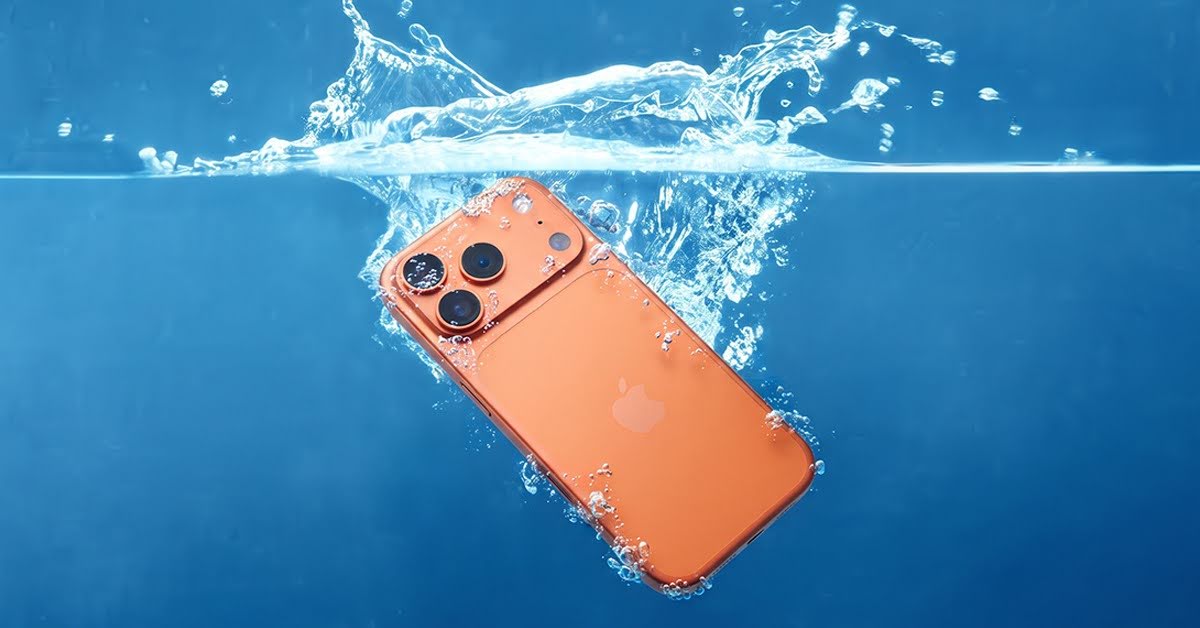
A phone can slip out of your hand in seconds. One moment, you are texting, taking pictures, or watching a video. The next moment, your device is sitting in water. It may happen in a sink, toilet, pool, during heavy rain, inside a washing machine, or because of a spilled drink. In this guide, we will let you know all about phone water damage, what to do, and what not to do. Moreover, we also inform you about when you can go for DIY and when to seek professional phone water damage repair service in Locust, NC. At the end, the experts of Smart Phone Repair also present you with some tips to keep your device safe from any liquid damage. Stay tuned with us and let us guide you on liquid damage.
Phone Water Damage: What To Do Immediately
You need to follow some steps before trying anything else; you don’t need to panic or take any wrong action.
- Remove the phone from the water immediately.
- Turn your phone off.
- Remove the case and SIM tray.
- Dry the outside carefully.
- Let the phone dry before testing it.
- Visit a professional repair shop if needed.
What To Do vs What To Avoid After Water Damage
Do This Immediately | Avoid Doing This |
Turn the phone off | Turn it back on to check it |
Remove the phone case | Keep the case attached |
Remove the SIM tray | Charge the phone |
Dry it with a microfiber cloth | Use a hair dryer |
Place it in a dry, ventilated area | Put it in rice |
Get professional help if needed | Ignore warning signs |
5 Things To Do First After Dropping Your Phone in Water
Take the Phone Out of the Water Immediately
The very first thing you need to do is to remove your smartphone from the water as soon as possible. Every second gives moisture time to enter and damage the internal parts more, including the charging port, speaker, and more.
Turn the Phone Off Right Away
If your phone is still working, you need to turn it off to cut the power supply. You don’t need to use it for some time, as a working device can provide the fertile ground for the liquid to expand or cause damage.
Remove the Case, SIM Card, and Accessories
Phone cases protect your device from drops, but they can also trap moisture after water exposure. Remove the case as soon as possible to allow better airflow.
You should also remove:
- SIM card tray
- Memory card
- Stylus, if your phone has one
- Other removable accessories
Dry the Outside Carefully
When you remove the accessory, you need to dry your phone using a clean cloth or soft towel. You need to focus on the area where water can be collected, including the charging port, speaker, and many other components.
Let the Phone Dry Before Turning It On
After drying the outside, give your phone enough time before testing it. Place it in a dry area with proper airflow. Silica gel packets can help absorb moisture from the surrounding environment. Keeping the phone in a ventilated space is also helpful.
Mistakes That Can Make Water Damage Worse
You don’t need to make these mistakes right before your phone is damaged by the liquid. These practices make your phone more vulnerable to further damage.
- Charging the Phone Too Soon
- Using a Hair Dryer
- Putting the Phone in Rice
- Pressing Every Button
- Shaking the Phone
- Leaving the Phone in Direct Sunlight
Signs Your Phone Has Water Damage
If you notice any of these issues after your phone gets wet, consider getting professional help:
- Screen Flickering
- Ghost Touch Issues
- Charging Problems
- Speaker Distortion
- Camera Fog
- Fast Battery Drain
- Random Restarts
Does Rice Really Fix a Wet Phone?
The rice method is one of the most common suggestions people hear after dropping a phone in water. Many people believe placing a wet phone inside a bowl of rice will remove all moisture. However, rice is not a reliable solution for internal phone damage. It may absorb some moisture from the outside, but it cannot reach water trapped inside the motherboard, connectors, or other sensitive areas.
Can You Save a Water-Damaged Phone Yourself?
The answer depends on how much water entered your device and what type of liquid caused the damage. For minor exposure, you may be able to reduce the risk by taking quick action. Examples include:
- A few drops of rain
- Small water splashes
- A light spill on the surface
When Should You Visit a Phone Repair Shop?
Before you decide to visit the professional phone water damage repair store in Locust, NC, you need to check some functions. If you face any of these defects, you must hurry to bring it to the reliable store.
You should consider visiting a phone repair shop if you notice:
- Phone will not turn on
- Water inside the camera lens
- Charging problems
- Speaker issues
- Display abnormalities
- Battery problems
- Random shutdowns
- Unusual heating
How to Prevent Future Water Damage
Some simple tips can prevent you from water damage and prolong your device’s life up to some extent.
- Use a Waterproof Phone Pouch
- Choose a Protective Phone Case
- Keep Your Phone Away From Water Sources
- Avoid Using Your Phone During Heavy Rain
- Back Up Your Important Data
- Understand Your Phone’s Water Resistance Rating
- Avoid Charging in Damp Areas
Why Choose Smart Phone Repair for Water Damage Service in Locust, NC?
With years of experience and modern tools to provide you with reliable and professional phone water damage repair service. Our team first diagnoses your device, identifies the issue, and then provides you with a reliable solution.
- Professional Inspection
- Reliable Repair Solutions
- Affordable Prices
- Fastest Turnarounds
- Quality Customer Support
- 90-Day Warranty Protection
- Local Phone Repair Experts
FAQs
Can a phone recover after being dropped in water?
Yes, your phone can recover in that condition if you bring it to our store fast. The more time you take, the more damage is done to the internal parts and unable to be repaired.
Can a water-resistant phone still suffer water damage?
Even if your phone is water-resistant, it can still be damaged by water under certain conditions. You need to be careful while using your device close to water.
What should I do if my phone was dropped in salt water?
The first thing you need to do is to remove the phone from water. Remove as much liquid as you can. However, salt can speed up the corrosion, so you need to consult a professional phone water damage repair service without any delay.
How can I tell if water has damaged my phone internally?
Common signs include charging problems, screen issues, speaker distortion, battery problems, overheating, and unexpected shutdowns. Some damage may not appear right away.
Is professional cleaning necessary after water exposure?
It depends on the situation. A small splash may only need proper drying, but full submersion or liquid spills may require professional inspection and cleaning.
Conclusion
If you own any smartphone, you need to take care of it, especially when you are using it close to the water. However, if a mishap happens, the phone may get water damage. In this guide, we provide you with comprehensive information about what to do when your device is damaged by liquid. Along with that, we also inform you to avoid taking some action right after the water damage. We also provide you with precautionary measures to prevent your device from any mishap. At the end, if you ever need the professional cellphone repair service in Locust, NC, visit Smart Phone Repair for reliable and quick solutions.